Welcome to 2024, where the world of laptop operating systems is changing and evolving to change how people connect, work, and play. Imagine looking at a new operating system that seems like it was practically made for you to write code far into the night, design some high-res graphics, or just stream those 4K shows to your heart’s content. This isn’t the scene from tomorrow; it is the reality of today’s tech landscape. From classy Windows and macOS to sophisticated Linux, each of these individual platforms has something to offer to the novelist, artist, student, or tech guru.
This guide is for more than just the decision at hand; it’s for finding the perfect tech match. Let’s dive in so you can begin an adventure in the four big tastes of operating systems, allowing you to navigate this rich and varied landscape with grace and poise. Make sure your next decision improves every click, command, and keystroke.
And it is as we advance that the variations in each system start to take shape. From the sleek, intuitive design catered to creatives and professionals on macOS to the versatile and omnipresent Windows that powers most of the world’s PCs, each OS has its very own niche. Chrome OS, with its cloud-first approach, is giving simplicity and security to people who live online, while Linux is giving a playground of customization to geeks who want to go under the hood. We’re going to break that all down—what each operating system has to offer in terms of out-of-the-box ease of use, detailed customization options, software availability, and security features. By the time we are done, you can clearly see which operating system fits your needs, but you also have your experience of everyday digital interactions upgraded. The proper operating system is out there, waiting to revolutionize your computing experience, whether you are a power user, a casual browser, or somewhere in between.
Windows: A Comprehensive Overview
Focus: Versatility and widespread appeal, catering to personal, business, and gaming needs.
Features
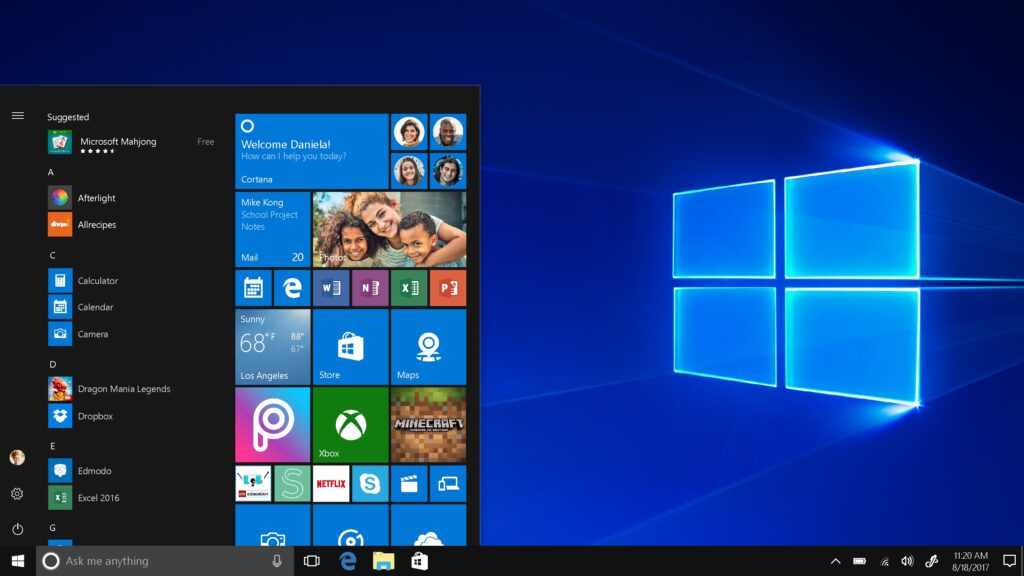
- User Interface: Classic Start menu, taskbar, and the integration of Cortana for voice-assisted operations.
- Windows Store: Access to a plethora of apps and games.
- Security: Built-in features like Windows Defender for enhanced protection; however, additional antivirus software is recommended.
- Updates and Support: Regular updates to improve security and functionality, including touch screen and stylus enhancements.
- Integration: Xbox integration allows for seamless gaming experiences across devices.
PRONS
- Software Compatibility: Extensive support for a vast range of applications.
- User-Friendly: Familiar layout and ease of use contribute to its broad appeal.
CONS
- Performance: Can become slow over time if not maintained properly.
- Security: More susceptible to viruses compared to other OS due to its popularity.
Specific Use Cases
- Students: Ideal for those requiring access to a broad range of software, including specialized educational tools.
- Developers: Offers compatibility with many industry-standard software options, though developers might also prefer the Unix-based environment of macOS depending on their coding requirements.
- Gamers: Windows maintains a stronghold in the gaming world due to extensive support for game libraries and compatibility with gaming hardware.
Hardware Compatibility
Windows is compatible with a wide array of hardware, making it a safe choice for those with specific peripheral needs.
Additional Costs
While the OS itself has a cost, the availability of free and paid software means users can manage their budget according to their needs.
Future Trends
The integration of cloud services and gaming platforms like Xbox Game Pass demonstrates Windows’ commitment to blending cloud-based functionalities with traditional computing.
macOS: Streamlined and Secure
Focus: Integration and optimization within the Apple ecosystem, with a design that appeals to creative professionals.
Features
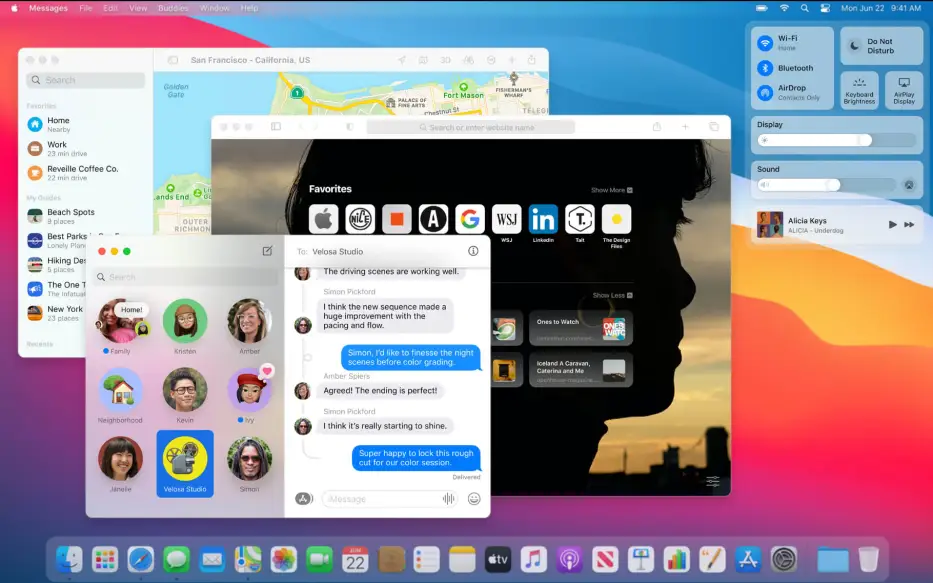
- Design: Sleek, intuitive user interface with features like Dock, Spotlight search, and Mission Control.
- Ecosystem: Seamless continuity features like Handoff and Universal Clipboard enhance productivity across Apple devices.
- Security: High-level security and privacy, with regular updates from Apple to maintain system integrity.
PRONS
- Optimized Hardware Use: Designed to work seamlessly with Apple hardware, ensuring efficient performance.
- Creative Tools: Favored by professionals in creative industries for robust graphic and video editing capabilities.
CONS
- Cost: Higher price point, both in terms of initial investment and peripheral devices.
- Limited Customization: Not as customizable as other operating systems.
Specific Use Cases
- Creative Professionals: The go-to OS for high-level video editing, graphic design, and audio production thanks to optimized software like Final Cut Pro and Adobe Creative Suite.
- Developers: Preferred for its stable Unix-based foundation, which is ideal for software development and programming.
Hardware Compatibility
Exclusively designed for Apple hardware, which can be a limitation if one prefers custom-built setups or specific non-Apple peripherals.
Additional Costs
Mac users often face higher initial costs due to the premium pricing of Apple products, though the investment is offset by long-term software updates and reliability.
Future Trends
Apple’s focus on privacy and the integration of AI and machine learning within macOS hint at a future where your OS works more intuitively with your daily tasks.
ChromeOS: Fast and Functional

Focus: Providing a simple, secure, and fast web-based computing experience ideal for basic tasks and educational use.
Features
- Cloud-based: Most applications and data are stored online, which facilitates security and accessibility.
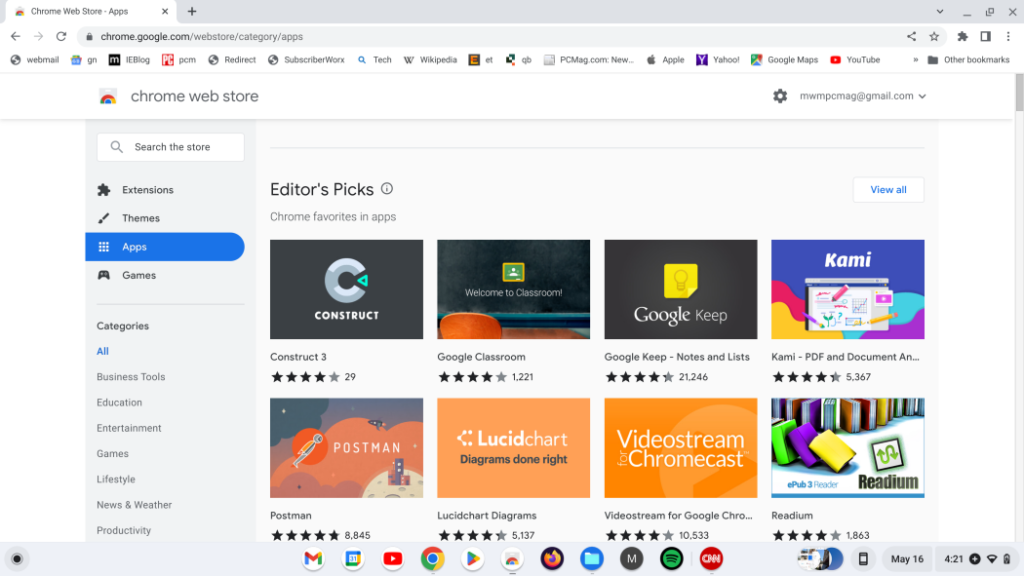
- Android Apps: Supports Android apps on newer models, greatly expanding its usability.
- Maintenance: Automatic updates in the background keep the system secure without user intervention.
PRONS
- Affordability: Generally lower cost compared to other laptops, making it accessible for students and schools.
- Speed: Quick startup and low overhead ensure fast performance.
CONS
- Internet Dependency: Most functionalities require an active internet connection.
- Application Limitations: Not suitable for heavy-duty applications like advanced video editing or software development.
ChromeOS: The Affordable, Web-Centric Choice
Specific Use Cases
- Students: ChromeOS is highly cost-effective, making it suitable for educational environments and students who rely heavily on web-based applications.
- Casual Users: Ideal for those who use their laptops primarily for browsing the web, streaming media, and using Android apps.
Hardware Compatibility
ChromeOS runs well on low to mid-range hardware, reducing the need for frequent upgrades.
Additional Costs
Mostly relies on free or subscription-based web apps, which can be economical over time compared to outright software purchases.
Future Trends
As cloud computing advances, ChromeOS is positioned to become even more capable, possibly expanding its offline functionalities.
Linux: Customizable and Community-Driven

Focus: Flexibility and control, appealing to tech enthusiasts and developers who value open-source software.
Features
- Variety: Multiple distributions tailored to different needs (e.g., Ubuntu for beginners, Fedora for the latest open-source software).
- Customization: Users can modify almost every aspect of the system to suit their needs.
- Community: Strong support from a vast community of developers.
PRONS
- Cost-Effective: No licensing fees, which can significantly lower the cost of operation.
- Security: Generally more secure against viruses and malware due to its open-source nature.
CONS
- Complexity: May require more technical skill to use and maintain effectively.
- Software Compatibility: Limited commercial software availability compared to Windows and macOS.
Specific Use Cases
- Developers: With its open-source nature, Linux is perfect for developers who need a customizable environment or are working on open-source projects.
- Tech Enthusiasts: Ideal for users who enjoy tweaking and optimizing their operating system to their exact preferences.
Hardware Compatibility
While Linux distributions can run on a variety of hardware, users may need to perform additional configurations to ensure compatibility with certain peripherals.
Additional Costs
Linux itself is free, and many available software options are open-source, which can significantly lower the total cost of ownership.
Future Trends
Linux continues to lead in security and customization, with growing support for commercial software and gaming thanks to platforms like Steam.
Making Your Choice
As we delve deeper into the wide vista of laptop operating systems by 2024, it isn’t just functionality that would be at stake. It is about partnering with technology that respects your budget, meets your exact needs, and is right on the comfort level of innovation regarding tech. From the wide compatibility that Windows offers to the easy-to-use simplicity of ChromeOS, a user of unlimited customizing through Linux, and even a seamless integration of macOS, every system serves its value toward helping you improve digital interactions.
Reflect on what you need most from your tech: the reliability and familiar ecosystem of Windows, the sophisticated aesthetics and powerful performance of macOS, the secure, straightforward environment of Chrome OS, or the flexible, open-source nature of Linux. Your choice should not be made to fulfill only the current needs you have, but also those that you will be having in the future, making sure that the chosen OS is growing with you and adapted to your constantly changing digital lifestyle.
Remember, the perfect operating system will always underpin your daily experience in computing, be it professional productivity or personal leisure. So choose wisely for your laptop; make it the one that will open countless new doors to capabilities, efficiencies, and enjoyments. Move forward with surety that whatever decision was taken today is part of moving towards an empowered tomorrow.