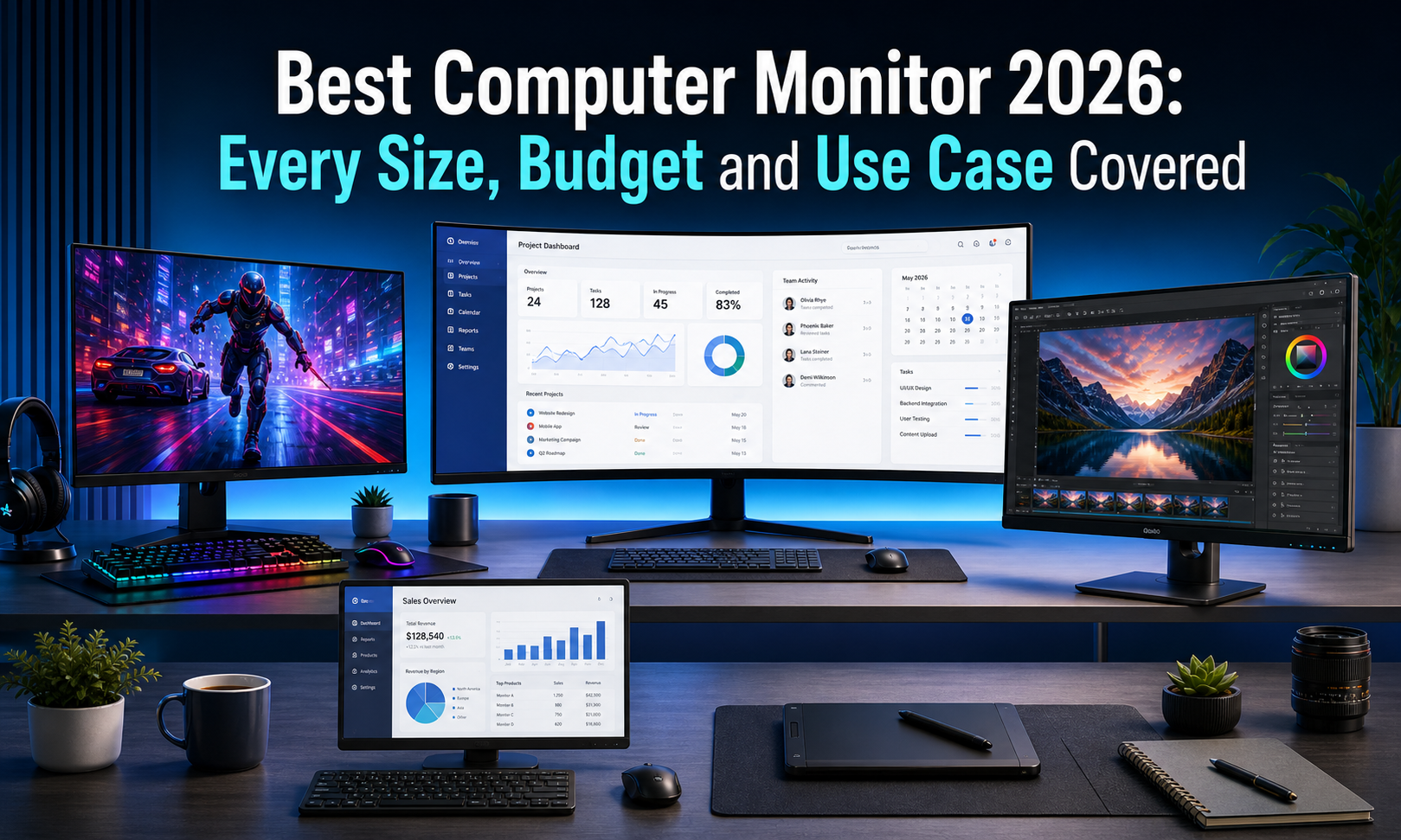
The wrong monitor doesn’t just look bad on your desk — it drains your eyes, kills your productivity, and costs you money you can’t get back. If you’ve been searching for the best computer monitor 2026, you already know the options are overwhelming. Every brand claims the sharpest display, the fastest refresh rate, and the best value. Most of them are wrong.
After analyzing thousands of verified Amazon reviews across Dell, Samsung, LG, ASUS, Acer, Alienware, and more — we built one guide that covers every size, every budget, and every use case. Gaming. Office work. Creative editing. Dual setups. Budget builds. Premium OLED.
One monitor under $80 is sitting at 4.8 stars and most buyers have never heard of the brand. Scroll to find out which one.
How We Chose the Best Computer Monitors of 2026
The monitor market in 2026 is more crowded than ever. Budget brands are closing the gap on premium names, refresh rates are climbing across every price tier, and panel technology has never been more diverse. Picking the wrong monitor isn’t just a visual disappointment — it’s a daily frustration that affects everything you do on your computer. Here’s exactly how we filtered 18 monitors down to a list worth trusting.
Minimum Review Threshold
Every monitor on this list holds at least 4.2 stars with a meaningful verified review base. Volume matters — but consistency across that volume matters more. A product with 400 reviews at 4.5 stars tells a more reliable story than one with 10,000 reviews at 3.8.
What We Actually Evaluated
Six criteria drove every decision on this list:
- Panel type — IPS, VA, or OLED and what each means for color, contrast, and viewing angles
- Resolution — FHD, QHD, and 4K mapped to real-world use cases
- Refresh rate — 75Hz through 240Hz and who actually needs what
- Response time — 1ms vs 5ms and when the difference matters
- Connectivity — HDMI, DisplayPort, USB-C availability per price tier
- Eye care features — flicker-free certification, blue light filters, reader modes
Who This Guide Is For
Gamers chasing high refresh rates. Office workers sitting eight hours a day who need eye protection built in. Creatives who need accurate color reproduction. Budget buyers who refuse to overpay. And anyone who has stared at a subpar display long enough to finally do something about it.
Best Computer Monitors 2026 at a Glance
Short on time? Here’s every monitor on this list side by side. Find your budget row, lock in your category, and jump straight to the full review below.
| # | Product | Best For | Size | Price | Stars |
|---|---|---|---|---|---|
| 1 | MSI PRO MP243L | Best Budget Gaming | 24″ | Check Price | ⭐ 4.8 |
| 2 | LG 24U411A-B | Best Budget LG | 24″ | Check Price | ⭐ 4.5 |
| 3 | Acer KB272 | Best 27″ Under $100 | 27″ | Check Price | ⭐ 4.6 |
| 4 | Dell SE2426H | Best Budget Dell | 24″ | Check Price | ⭐ 4.3 |
| 5 | Amazon Basics 27″ | Best No-Frills 27″ | 27″ | Check Price | ⭐ 4.6 |
| 6 | Samsung S36GD | Best Budget Curved | 27″ | Check Price | ⭐ 4.5 |
| 7 | Amazon Basics 24″ | Best Ultra-Budget Office | 24″ | Check Price | ⭐ 4.6 |
| 8 | Samsung S40GD | Best Business Monitor | 24″ | Check Price | ⭐ 4.6 |
| 9 | Dell S2725HSM | Best White Monitor | 27″ | Check Price | ⭐ 4.6 |
| 10 | Samsung S30GD | Best 27″ IPS | 27″ | Check Price | ⭐ 4.4 |
| 11 | Samsung S39GD | Best 32″ Budget | 32″ | Check Price | ⭐ 4.2 |
| 12 | LG 27U631A-B | Best USB-C Monitor | 27″ | Check Price | ⭐ 4.5 |
| 13 | ASUS TUF VG27AQ3A | Best Mid-Range Gaming | 27 | Check Price | ⭐ 4.5 |
| 14 | Samsung Odyssey G5 | Best QHD Gaming | 27″ | Check Price | ⭐ 4.5 |
| 15 | LG 27UP650K-W | Best White 4K | 27″ | Check Price | ⭐ 4.5 |
| 16 | LG 32UR500K-B | Best 32″ 4K | 32″ | Check Price | ⭐ 4.4 |
| 17 | Dell S3425DW | Best Ultrawide | 34″ | Check Price | ⭐ 4.5 |
| 18 | Alienware AW3425DW | Best OLED Gaming | 34″ | Check Price | ⭐ 4.4 |
The Best Gaming Monitors in 2026
Gaming monitors have more options in 2026 than any other monitor category — and more misleading specs too. Refresh rate numbers mean nothing without the right panel behind them. Response time claims mean nothing without real-world motion clarity to back them up. This section cuts through the marketing and focuses on four picks that genuinely deliver across competitive gaming, casual play, and everything in between. Whether your budget is $80 or $650, there is a gaming monitor here built exactly for your setup.
Best Monitors by Size — 27-Inch vs. 32-Inch
Size is the single most personal monitor decision you will make — and getting it wrong affects every hour you spend at your desk. The 27-inch monitor has been the sweet spot for home and office setups for years. The 32-inch is rapidly closing the gap, with search interest up 40% in 2026 as more buyers discover what an extra five inches of screen real estate actually feels like in daily use. Here is exactly how the two sizes compare — and the best pick at each.
Best Curved & Ultrawide Monitors in 2026
Curved and ultrawide monitors have moved from enthusiast luxury to mainstream consideration faster than any other monitor category. A curved screen wraps your peripheral vision naturally, reducing eye movement fatigue across long sessions. An ultrawide 21:9 display eliminates the gap between two monitors without the bezels, the cable clutter, or the mismatched brightness. For home office users, video editors, and gamers who want total immersion — this is the category worth spending up for. Here are the three picks that justify every penny.
Best Budget & Inexpensive Computer Monitors in 2026
Budget monitors in 2026 are genuinely good — and that sentence would have been controversial three years ago. IPS panels, 144Hz refresh rates, and HDR support are no longer locked behind $200+ price tags. The picks in this section prove that spending under $130 does not mean settling for a subpar display. It means being smart about which features matter and which ones you are paying a premium to simply have on the spec sheet. Here are five budget monitors that deliver exactly what they promise.
Best OLED Monitors for High-End Setups
OLED monitors represent the biggest leap in display technology available to consumers right now. Unlike IPS or VA panels that use a backlight behind the screen, OLED pixels produce their own light individually — which means true blacks, infinite contrast ratios, and color accuracy that no backlit panel can physically replicate. The trade-off is price. But for buyers who spend serious hours in front of their display — gaming, creative work, or simply demanding the best — OLED is no longer an indulgence. It is the standard everything else is measured against.
White Computer Monitors — Best for Desk Aesthetics
White monitors are the fastest growing aesthetic trend in home office setups in 2026 — and it is not hard to see why. A white display against a minimal desk completely transforms the visual tone of a workspace. What was once a niche preference is now a legitimate buying category, with search interest holding consistently high. The two picks in this section deliver on both aesthetics and performance — because looking good and working well are not mutually exclusive.
The Best Gaming Monitors in 2026 — Full Reviews
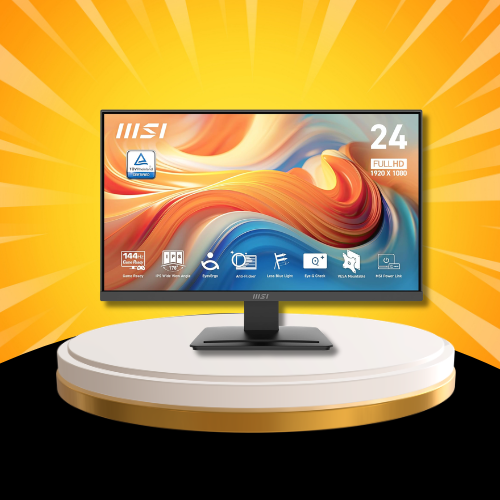
MSI PRO MP243L E14 — Best Budget Gaming Monitor
There is not a single monitor on this entire list with a higher star rating than the MSI PRO MP243L — and it costs $79.99. This is a 144Hz IPS gaming monitor that delivers a spec sheet most buyers expect to pay $150 for, wrapped in a four-side slim bezel design that looks far more premium than its price tag suggests.
What It Actually Does
- MSI PRO MP243L monitor
- HDMI cable
- VGA port included
- VESA mount compatible ✅
Specs at a Glance
- Panel: IPS
- Resolution: FHD 1920×1080
- Refresh rate: 144Hz
- Response time: 1ms
- Sync: Adaptive-Sync / FreeSync Compatible
- HDR: Ready ✅
- VESA: Compatible ✅
- Bezel: 4-side slim
Who Should Buy This
Budget gamers who refuse to compromise on refresh rate or response time. First-time PC builders who want a capable gaming display without blowing the entire budget on the monitor. Anyone who needs VESA compatibility from day one.
Who Should Skip This
If QHD resolution or a screen larger than 24 inches matters to your setup, step up to the ASUS TUF VG27AQ3A below. The MP243L’s FHD resolution is its only meaningful limitation.
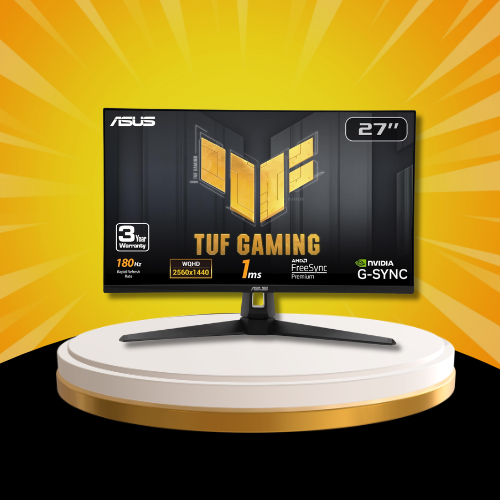
ASUS TUF Gaming VG27AQ3A — Best Mid-Range Gaming Monitor
The ASUS TUF Gaming VG27AQ3A is the monitor that sits at the exact intersection of everything a serious gamer actually needs — and nothing they don’t. This is a 27-inch QHD gaming monitor with 180Hz refresh rate, 1ms response time, and G-SYNC compatibility built into a Fast IPS panel that covers 130% sRGB color space. At $189, it is one of the most complete gaming monitors available under $200.
What It Actually Does
QHD resolution at 2560×1440 is the meaningful step up from FHD that competitive and casual gamers both notice immediately — sharper textures, cleaner edges, and a clarity that makes 1080p feel like a downgrade once you’ve seen it. 180Hz pushes motion smoothness well beyond the standard 144Hz tier, and Extreme Low Motion Blur Sync keeps fast-moving scenes crisp without ghosting.
Dual sync support — FreeSync Premium and G-SYNC Compatible — means this monitor works optimally with any modern GPU without compromise. Built-in speakers remove the need for an immediate external audio purchase.
What’s in the Box
- ASUS TUF VG27AQ3A monitor
- DisplayPort cable
- HDMI port included
- Built-in speakers ✅
Specs at a Glance
- Panel: Fast IPS
- Resolution: QHD 2560×1440
- Refresh rate: 180Hz
- Response time: 1ms
- Color coverage: 130% sRGB
- Sync: FreeSync Premium + G-SYNC Compatible ✅
- HDR: Yes ✅
- Speakers: Built-in ✅
Who Should Buy This
Gamers ready to leave 1080p behind. Anyone who wants G-SYNC compatibility without paying G-SYNC pricing. Mid-range PC builders who want a display that grows with GPU upgrades rather than becoming the bottleneck.
Who Should Skip This
If 27 inches feels too large for your desk distance or you are strictly on a sub-$150 budget, the MSI PRO MP243L above covers the gaming essentials for $110 less. If only the absolute best display technology will do, the Alienware AW3425DW below is your destination.
💬 What Amazon buyers say: “Coming from a 60Hz 1080p monitor this thing completely changed how I experience games. The 180Hz QHD combo is genuinely addictive.”
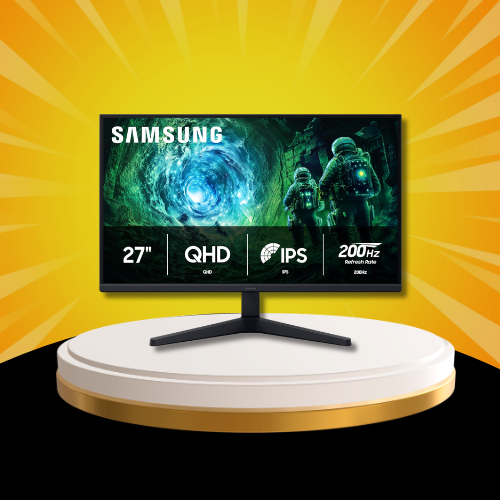
Samsung Odyssey G5 G53F — Best QHD Gaming Monitor
The Samsung Odyssey G5 G53F is Samsung’s answer to the question every serious gamer eventually asks — what comes after 144Hz? This is a 200Hz QHD IPS gaming monitor with HDR10, AMD FreeSync Premium, and Samsung’s Black Equalizer technology that brightens dark areas in games without overexposing lit environments — a feature competitive players genuinely use and notice.
What It Actually Does
200Hz refresh rate puts the Odyssey G5 above most monitors in this price tier, delivering motion smoothness that becomes immediately apparent in fast-paced competitive titles. The QHD IPS panel ensures that smoothness comes with color accuracy and wide viewing angles — not just raw speed. HDR10 adds brightness and contrast depth that makes single-player titles look genuinely cinematic.
Auto Source Switch automatically detects and switches between connected input sources — a small quality-of-life feature that desk setups with multiple devices connected simultaneously will appreciate daily. Black Equalizer specifically addresses the competitive gaming pain point of losing enemies in dark map areas.
What’s in the Box
- Samsung Odyssey G5 monitor
- HDMI cable
- Power cable
- Auto Source Switch ✅
Specs at a Glance
- Panel: IPS
- Resolution: QHD 2560×1440
- Refresh rate: 200Hz
- HDR: HDR10 ✅
- Sync: AMD FreeSync Premium ✅
- Black Equalizer: ✅
- Auto Source Switch: ✅
Who Should Buy This
Competitive gamers who want every frame advantage available under $250. Samsung ecosystem users who want seamless multi-device switching. Anyone stepping up from 144Hz who wants to feel the difference immediately.
Who Should Skip This
If curved screen immersion matters more than flat panel color accuracy, the Dell S3425DW ultrawide in the next section offers a more immersive experience. If OLED is on your radar, the Alienware below renders this a stepping stone rather than a destination.
💬 What Amazon buyers say: “200Hz is not a gimmick. I went back to my old 144Hz monitor for one session and couldn’t unsee the difference. The Black Equalizer alone is worth the upgrade.”
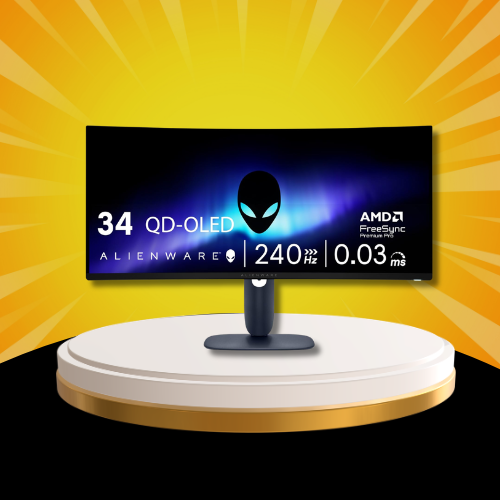
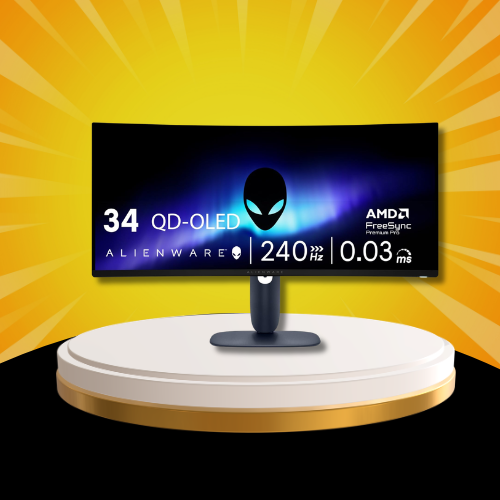
The Alienware AW3425DW is not just the best gaming monitor on this list — it is a statement about what a display can be when price is not the primary constraint. This is a 34-inch QD-OLED curved gaming monitor running 240Hz at WQHD resolution with a 0.03ms response time — numbers that make every other panel on this list look like a warm-up act.
What It Actually Does
QD-OLED combines quantum dot color technology with OLED’s self-lit pixel architecture — the result is Samsung Display’s most advanced panel technology delivering 99.3% DCI-P3 color coverage, DisplayHDR TrueBlack 400 certification, and a contrast ratio that backlit panels cannot physically approach. Every dark scene in every game looks exactly as the developer intended — not approximated through local dimming zones.
The 1800R curve wraps naturally around peripheral vision at typical desk distances, creating immersion that flat ultrawide panels simply cannot replicate. AMD FreeSync Premium Pro and VESA AdaptiveSync ensure buttery-smooth frame delivery regardless of GPU load fluctuation.
What’s in the Box
- Alienware AW3425DW monitor
- DisplayPort cable
- USB cables
- Height/tilt adjustable stand
Specs at a Glance
- Panel: QD-OLED
- Resolution: WQHD 3440×1440
- Refresh rate: 240Hz
- Response time: 0.03ms
- Curve: 1800R
- HDR: DisplayHDR TrueBlack 400 ✅
- Sync: FreeSync Premium Pro + VESA AdaptiveSync ✅
- Color: 99.3% DCI-P3
Who Should Buy This
Serious gamers and creative professionals who want the absolute pinnacle of current display technology. Buyers who have maxed out every other component in their setup and are ready to make the monitor match.
💬 What Amazon buyers say: “I’ve owned seven monitors in ten years. This is the first one that made me stop and just stare at the desktop wallpaper. Nothing else comes close.”
Acer KB272 — Best 27-Inch Monitor Under $100
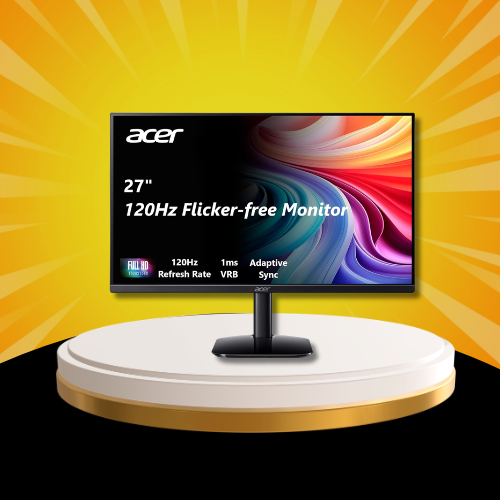
Finding a 27-inch IPS monitor with 120Hz refresh rate and 99% sRGB color coverage under $100 should not be possible in 2026 — and yet the Acer KB272 exists. This is a 27-inch FHD IPS monitor that has quietly become one of the best value displays on Amazon, moving 5,000+ units every single month at a price that most buyers expect to buy a 24-inch with.
What It Actually Does
The KB272 runs a 1920×1080 IPS panel at 120Hz — a meaningful step above the 75Hz displays dominating this price tier. The 99% sRGB color coverage is the number that separates this from budget competitors — accurate color reproduction at $99 is genuinely rare and immediately noticeable coming from a cheaper TN or VA alternative. Adaptive-Sync support with FreeSync compatibility keeps light gaming smooth without requiring expensive GPU pairing. The 1ms VRB response time handles fast motion without ghosting. Tilt adjustment handles basic ergonomic needs. HDMI and VGA ports cover legacy and modern connections simultaneously — useful for setups mixing older and newer hardware
What’s in the Box
- Acer KB272 monitor
- Power cable
- HDMI port ✅
- VGA port ✅
Specs at a Glance
- Panel: IPS
- Resolution: FHD 1920×1080
- Refresh rate: 120Hz
- Response time: 1ms VRB
- Color: 99% sRGB
- Sync: Adaptive-Sync / FreeSync Compatible ✅
- Ports: HDMI + VGA
Who Should Buy This
Budget buyers who want a 27-inch display without paying 27-inch prices. Home office workers who need accurate color without a creative professional budget. Students setting up their first proper desk monitor.
Who Should Skip This
If gaming at high refresh rates above 120Hz is the priority, the ASUS TUF VG27AQ3A in the gaming section offers 180Hz QHD for $90 more. If screen size beyond 27 inches matters, jump directly to the 32-inch picks below.
💬 What Amazon buyers say: “99% sRGB at this price is absurd. Colors pop, the 120Hz feels smooth for casual gaming, and the size is perfect for my desk. Couldn’t ask for more at $99.”
Samsung S30GD — Best 27-Inch IPS Overall
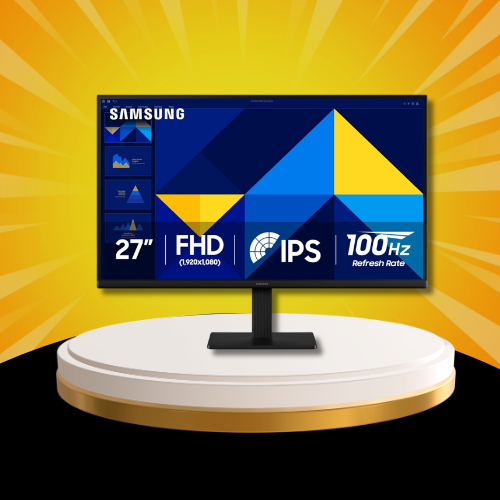
The Samsung S30GD is the 27-inch IPS monitor for buyers who want Samsung’s build quality, ergonomic design, and Advanced Eye Care technology in one clean package. At $149.99 it bridges the gap between entry-level budget displays and genuine daily-driver quality. The 100Hz refresh rate handles office work and casual gaming equally well. The ergonomic tilt-only stand keeps the footprint minimal. Samsung’s Game Mode and Eye Care suite make it equally comfortable for eight-hour work sessions and evening gaming. A reliable, well-rounded 27-inch that earns its Amazon’s Choice badge consistently.
LG 32UR500K-B Ultrafine — Best 32-Inch 4K Monitor
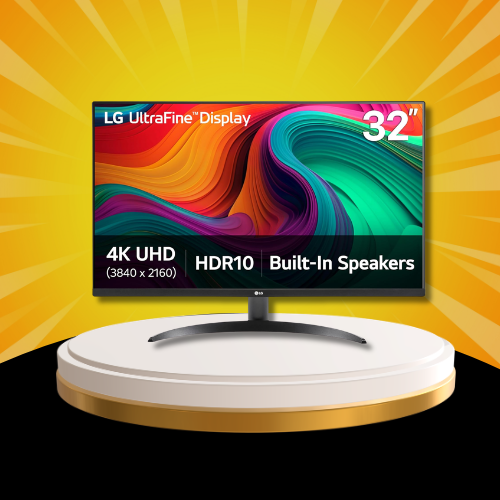
The jump from 27 inches to 32 inches becomes genuinely transformative when paired with 4K resolution — and the LG 32UR500K-B is exactly where that combination makes the most financial sense. This is a 32-inch 4K UHD computer monitor with HDR10, built-in dual speakers, and LG’s OnScreen Control software that turns display management into a one-click operation.
What It Actually Does
3840×2160 resolution across 32 inches hits the pixel density sweet spot — sharp enough that individual pixels are invisible at normal desk distances, without requiring GPU-crushing settings to run at native resolution for daily computing tasks. HDR10 certification adds meaningful brightness and contrast range for content consumption and creative work alike.
The borderless design across three sides makes this an ideal candidate for dual monitor setups where bezel gaps between screens break visual continuity. Built-in dual speakers remove the need for an immediate audio accessory purchase. LG’s Reader Mode and Flicker Safe technology protect eyes during extended sessions — the kind of feature that matters more at 32 inches where total screen exposure is physically larger.
OnScreen Control lets you manage inputs, picture modes, and screen split configurations directly from software rather than navigating on-screen display menus — a small quality-of-life improvement that daily users genuinely appreciate.
What’s in the Box
- LG 32UR500K-B monitor
- Power cable
- HDMI cable
- Built-in speakers ✅
Specs at a Glance
- Panel: IPS
- Resolution: 4K UHD 3840×2160
- HDR: HDR10 ✅
- Speakers: Built-in x2 ✅
- Design: Borderless 3-side
- Eye care: Reader Mode + Flicker Safe ✅
- Ports: HDMI x2 + DisplayPort
- Software: OnScreen Control ✅
Who Should Buy This
Creative professionals who need 4K accuracy on a display large enough to show full-resolution work without zooming. Home theater desk setups where content consumption and productivity share equal priority. Dual monitor builders who want a borderless 32-inch anchor display.
Who Should Skip This
If gaming refresh rate above 60Hz is the priority, the LG 32UR500K-B’s 60Hz ceiling makes it unsuitable for competitive gaming. Step toward the Samsung Odyssey G5 in the gaming section for refresh rate priority, or accept this monitor’s strengths are in productivity and content quality rather than gaming performance.
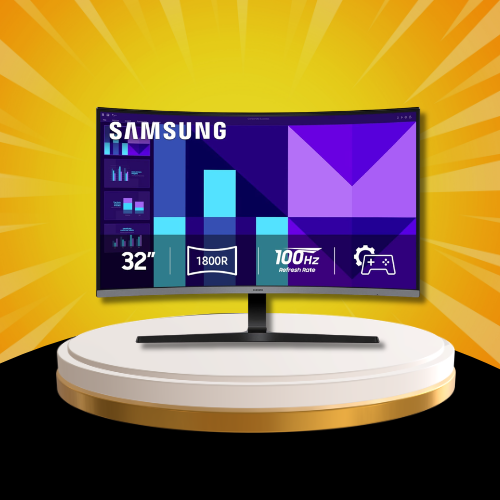
Samsung S39GD — Best 32-Inch Budget Curved Monitor
The Samsung S39GD answers the question nobody expected to ask in 2026 — what if you want a curved 32-inch monitor without spending $300? At $179.99 with a curved FHD panel, 100Hz refresh rate, Game Mode, built-in speakers, and Samsung’s Eye Saver technology, it delivers the large-screen curved experience at a price that makes the format accessible for the first time. The 4.2-star rating reflects the trade-off buyers consciously accept — FHD resolution at 32 inches is softer than 4K, but for casual gaming, streaming, and everyday computing the size advantage outweighs the pixel density gap for most users.
Best Curved & Ultrawide Monitors in 2026
Curved and ultrawide monitors have moved from enthusiast luxury to mainstream consideration faster than any other monitor category. A curved screen wraps your peripheral vision naturally, reducing eye movement fatigue across long sessions. An ultrawide 21:9 display eliminates the gap between two monitors without the bezels, the cable clutter, or the mismatched brightness. For home office users, video editors, and gamers who want total immersion — this is the category worth spending up for. Here are the three picks that justify every penny.
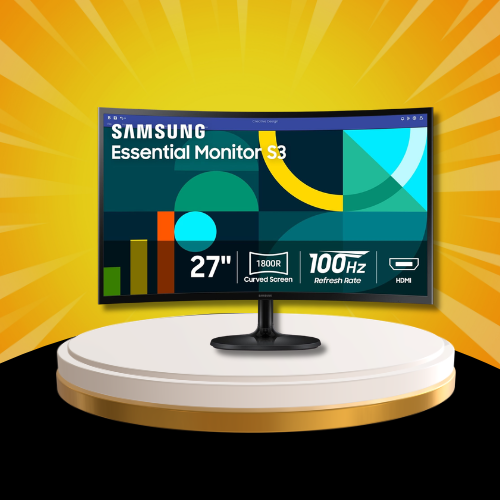
Samsung S36GD — Best Budget Curved Monitor
The Samsung S36GD proves that curved monitor ownership no longer requires a premium budget. This is a 27-inch FHD curved monitor with Samsung’s 1800R curvature — the same curve radius found in displays costing three times more — at a price that makes the format accessible to first-time curved screen buyers without compromise.
What It Actually Does
The 1800R curved panel wraps naturally around your field of vision at standard desk distances, reducing the eye movement required to scan from edge to edge on a flat display. 100Hz refresh rate handles everyday computing and casual gaming smoothly. Eye Saver Mode reduces blue light emission for extended work sessions, and Game Mode automatically optimizes picture settings when switching to gaming inputs without manual menu navigation.
HDMI and D-sub connectivity covers modern and legacy device connections simultaneously. Amazon’s Choice recognition at this price point signals consistent buyer satisfaction across a growing review base.
What’s in the Box
- Samsung S36GD monitor
- Power cable
- HDMI port ✅
- D-sub port ✅
Specs at a Glance
- Panel: Curved VA
- Resolution: FHD 1920×1080
- Refresh rate: 100Hz
- Curvature: 1800R
- Eye Saver Mode: ✅
- Game Mode: ✅
- Ports: HDMI + D-sub
Who Should Buy This
First-time curved monitor buyers who want the immersive experience without the premium price tag. Home office workers who spend long hours at their desk and want reduced eye strain from a wrap-around display. Budget-conscious buyers who refuse to stay on flat panels any longer.
Who Should Skip This
If ultrawide 21:9 immersion is the goal, the Dell S3425DW below is the correct destination. If gaming refresh rate above 100Hz matters, step up to the ASUS TUF VG27AQ3A in the gaming section.
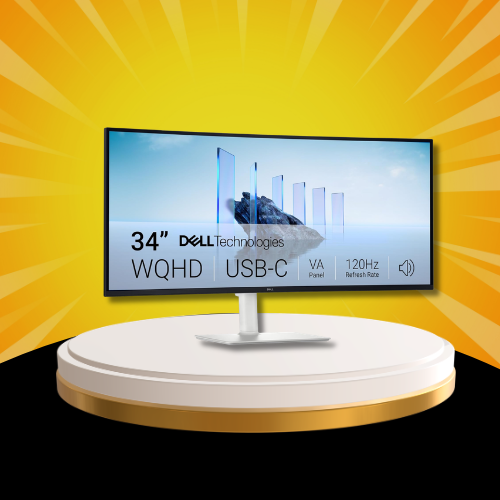
Dell S3425DW — Best Ultrawide Monitor
The Dell S3425DW is the ultrawide monitor that makes the two-monitor setup feel immediately obsolete. This is a 34-inch WQHD ultrawide curved monitor with a 21:9 aspect ratio, 120Hz refresh rate, USB-C connectivity, and integrated speakers — everything a home office power user needs in a single display that dominates any desk it lands on.
What It Actually Does
3440×1440 resolution across 34 inches delivers a workspace that no 27-inch display can replicate — spreadsheets that show entire datasets without horizontal scrolling, video timelines that display full sequences without compression, browser windows that sit comfortably side by side without feeling cramped. The VA panel delivers a 3000:1 contrast ratio that makes dark content genuinely dramatic compared to IPS alternatives at this size.
AMD FreeSync Premium keeps gaming smooth across the 120Hz ceiling. 99% sRGB and 95% DCI-P3 color coverage makes this a legitimate creative workstation display — not just a productivity monitor with good marketing. USB-C with power delivery handles modern laptop connections with a single cable for both video and charging simultaneously.
What’s in the Box
- Dell S3425DW monitor
- USB-C cable
- HDMI cable
- Integrated speakers ✅
Specs at a Glance
- Panel: VA
- Resolution: WQHD 3440×1440
- Aspect ratio: 21:9
- Refresh rate: 120Hz
- Contrast ratio: 3000:1
- Color: 99% sRGB / 95% DCI-P3
- Sync: AMD FreeSync Premium ✅
- USB-C: ✅ with power delivery
- Speakers: Integrated ✅
Who Should Buy This
Home office professionals who multitask heavily across multiple applications simultaneously. Content creators who need accurate color and wide workspace in one display. Anyone who has been running a dual monitor setup and wants to eliminate the center bezel gap permanently.
Who Should Skip This
If competitive gaming at 144Hz or above is the primary use case, the Dell S3425DW’s 120Hz ceiling and VA panel make the Alienware AW3425DW the more appropriate choice at a higher price. If the ultrawide budget feels steep, the Samsung S36GD curved above delivers the immersive feel at a fraction of the cost.
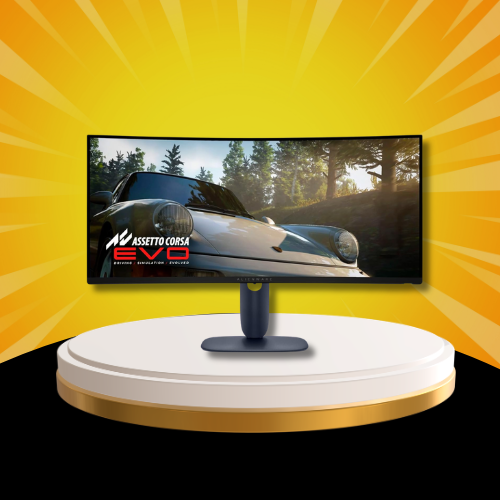
Alienware AW3425DW — Best Curved OLED Ultrawide
The Alienware AW3425DW is the curved ultrawide category’s definitive answer to the question of what happens when you combine OLED panel technology with a 34-inch 1800R curve and 240Hz refresh rate. Everything covered in the gaming section applies here — QD-OLED self-lit pixels, 0.03ms response time, DisplayHDR TrueBlack 400 — but in the ultrawide curved context the immersion reaches a level that no flat or standard curved display can approach. For buyers who want the absolute pinnacle of curved ultrawide technology in 2026 regardless of price, this is the only answer on this list.
Best Budget & Inexpensive Computer Monitors in 2026
Budget monitors in 2026 are genuinely good — and that sentence would have been controversial three years ago. IPS panels, 144Hz refresh rates, and HDR support are no longer locked behind $200+ price tags. The picks in this section prove that spending under $130 does not mean settling for a subpar display. It means being smart about which features matter and which ones you are paying a premium to simply have on the spec sheet. Here are five budget monitors that deliver exactly what they promise.
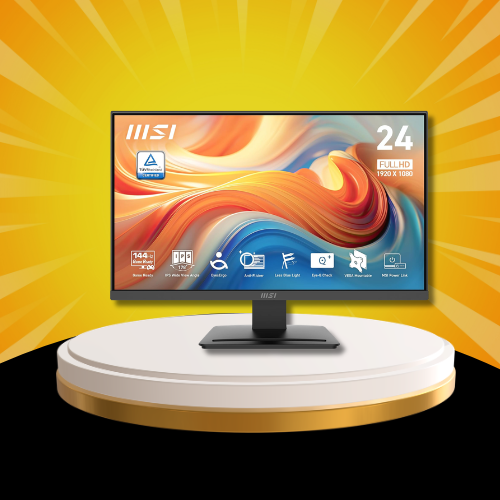
MSI PRO MP243L — Best Under $80
Already covered in full detail in the gaming section above — the MSI PRO MP243L earns its place in the budget category just as convincingly as it does in gaming. The highest-rated monitor on this entire list at 4.8 stars. 144Hz, 1ms, IPS panel, four-side slim bezel, and VESA compatibility at $79.99. If your budget has a hard ceiling and gaming performance matters, this is the only answer under $100.
LG 24U411A-B — Best Budget LG Monitor
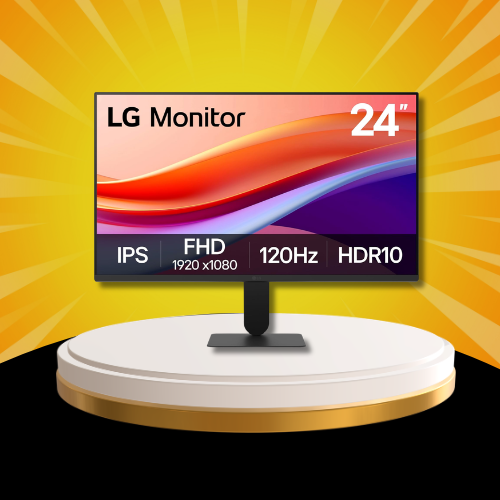
LG’s reputation for panel quality makes every LG monitor entry on this list worth attention — and the 24U411A-B delivers that reputation at the lowest LG price point available. This is a 24-inch FHD IPS monitor with HDR10 that brings LG’s Flicker Safe and Reader Mode eye care technology into the budget tier without asking budget buyers to pay for features they won’t use.
What It Actually Does
120Hz refresh rate puts the LG 24U411A-B above the 75Hz displays that dominate this price range — a meaningful daily improvement for both productivity scrolling and casual gaming. HDR10 certification adds brightness range that most sub-$100 monitors simply don’t attempt. Reader Mode reduces blue light emission specifically calibrated for text-heavy work, making this an exceptional choice for anyone who spends their working day in documents, spreadsheets, or code editors.
The slim stand base keeps desk footprint minimal. HDMI connectivity handles modern device connections without adapter requirements.
What’s in the Box
- LG 24U411A-B monitor
- Power cable
- HDMI port ✅
- Slim stand base ✅
Specs at a Glance
- Panel: IPS
- Resolution: FHD 1920×1080
- Refresh rate: 120Hz
- HDR: HDR10 ✅
- Eye care: Reader Mode + Flicker Safe ✅
- Stand: Slim base
- Ports: HDMI
Office workers and students who want LG panel quality without LG premium pricing. Anyone whose primary use case is documents, browsing, and productivity with occasional casual gaming on the side. Buyers who prioritize eye care features above all other specifications.
Who Should Skip This
If screen size beyond 24 inches matters, the Acer KB272 delivers a 27-inch IPS panel for $10 more. If gaming performance is the primary driver, the MSI PRO MP243L at $79.99 offers 144Hz versus this monitor’s 120Hz ceiling.
Dell SE2426H — Best Budget Dell Monitor
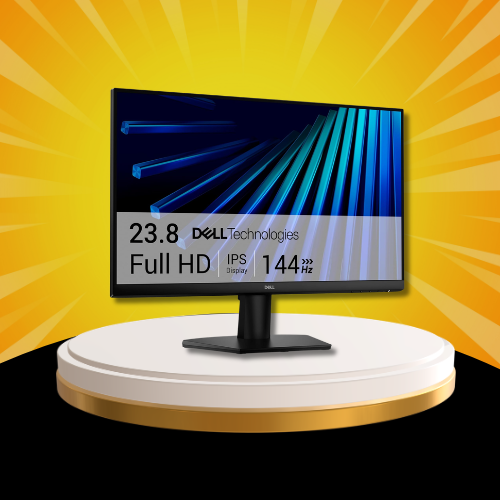
Dell’s entry into the sub-$100 monitor category with the SE2426H sends a clear message — the brand that built its reputation on business display quality is not conceding the budget tier to competitors. This is a 24-inch FHD IPS monitor with 144Hz refresh rate and AMD FreeSync, backed by Dell’s sustainability commitment and TÜV 3-Star certification for eye comfort.
What It Actually Does
144Hz on a Dell IPS panel at $99 is the headline — and it delivers the smooth motion performance Dell buyers expect from displays costing significantly more. AMD FreeSync eliminates screen tearing across the full 144Hz range without requiring specific GPU pairing. In-Plane Switching technology ensures consistent color accuracy and wide viewing angles regardless of where you sit relative to the screen.
TÜV 3-Star certification for low blue light emission is independently verified — not a marketing claim — making this a genuinely eye-comfortable display for extended daily use. Dual HDMI ports stand out at this price point, allowing two devices to connect simultaneously without an adapter or switcher.
What’s in the Box
- Dell SE2426H monitor
- Power cable
- Dual HDMI ports ✅
- Tilt adjustment ✅
Specs at a Glance
- Panel: IPS
- Resolution: FHD 1920×1080
- Refresh rate: 144Hz
- Sync: AMD FreeSync ✅
- Eye care: TÜV 3-Star certified ✅
- Ports: 2x HDMI
- Sustainability: 1 feature ✅
Who Should Buy This
Dell brand loyalists who want the brand’s build quality and warranty support at entry-level pricing. Home office buyers who need two HDMI inputs for switching between a work laptop and personal PC. Anyone who values independently certified eye comfort over marketing claims.
Who Should Skip This
Dell brand loyalists who want the brand’s build quality and warranty support at entry-level pricing. Home office buyers who need two HDMI inputs for switching between a work laptop and personal PC. Anyone who values independently certified eye comfort over marketing claims.
Who Should Skip This
With only 27 reviews at launch, the SE2426H’s review base is still building. If proven buyer confidence matters more than brand trust, the Acer KB272 at the same price has 1,637 reviews at 4.6 stars. Check back as the review base grows.
Amazon Basics 27-Inch Monitor — Best No-Brand Budget Pick
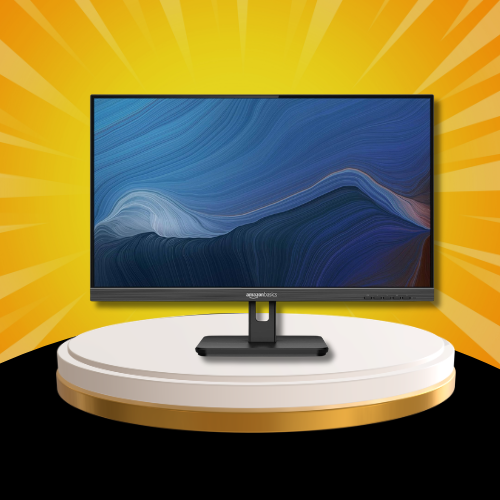
The Amazon Basics 27-inch monitor exists for one reason — to prove that a 27-inch IPS display with built-in speakers, adjustable stand, HDMI, DisplayPort, VGA, and VESA compatibility does not need a brand name to justify $105. 1,124 reviews at 4.6 stars with 2,000+ monthly buyers backs that premise convincingly. The 75Hz refresh rate is the honest trade-off at this price — perfectly capable for office work, content consumption, and casual use, but not the choice for gaming-focused setups. If desk size is the priority and brand loyalty is not, this is one of the cleanest value propositions on the entire list.
Amazon Basics 24-Inch Monitor — Best Ultra-Budget Office Monitor
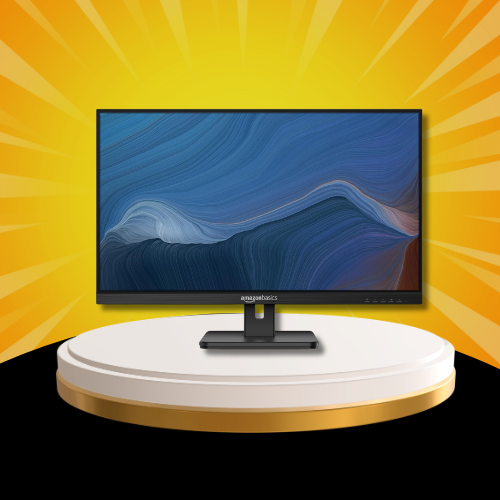
The 24-inch Amazon Basics monitor covers every office and home computing need at a price that leaves budget for the rest of the setup. Full HD IPS display, built-in speakers, adjustable stand, HDMI, DisplayPort, VGA input, and VESA compatibility — all present, all functional, all at $119. The 75Hz ceiling keeps it firmly in the productivity and casual use category rather than gaming. 735 reviews at 4.6 stars with 4,000+ monthly buyers makes it Amazon’s most-purchased monitor in this size tier. For anyone who needs a reliable second monitor, a first office display, or a clean home setup on a strict budget — the Amazon Basics 24-inch simply works.
Best OLED Monitors for High-End Setups
OLED monitors represent the biggest leap in display technology available to consumers right now. Unlike IPS or VA panels that use a backlight behind the screen, OLED pixels produce their own light individually — which means true blacks, infinite contrast ratios, and color accuracy that no backlit panel can physically replicate. The trade-off is price. But for buyers who spend serious hours in front of their display — gaming, creative work, or simply demanding the best — OLED is no longer an indulgence. It is the standard everything else is measured against.
Alienware AW3425DW — Best QD-OLED Monitor in 2026
Everything covered in the gaming and curved sections applies here — but in the OLED context the conversation shifts from performance to perception. This is a QD-OLED computer monitor that does not just display content. It renders it. The distinction becomes clear the moment you place it next to any IPS or VA panel and view the same image simultaneously.
QD-OLED vs Standard OLED — What’s the Difference?
For gaming and creative work — yes, with one important caveat. OLED panels are susceptible to burn-in from static elements displayed for extended periods — taskbars, application UIs, and desktop widgets. For buyers who use their monitor exclusively for dynamic content — games, video, creative applications — burn-in risk is minimal with normal use patterns. For buyers who display static elements for eight-plus hours daily, an IPS panel like the ASUS TUF or Dell ultrawide remains the more practical long-term investment.
Specs at a Glance
- Panel: QD-OLED
- Resolution: WQHD 3440×1440
- Refresh rate: 240Hz
- Response time: 0.03ms
- HDR: DisplayHDR TrueBlack 400 ✅
- Color: 99.3% DCI-P3
- Burn-in risk: Low with dynamic content use
White Computer Monitors — Best for Desk Aesthetics
White monitors are the fastest growing aesthetic trend in home office setups in 2026 — and it is not hard to see why. A white display against a minimal desk completely transforms the visual tone of a workspace. What was once a niche preference is now a legitimate buying category, with search interest holding consistently high. The two picks in this section deliver on both aesthetics and performance — because looking good and working well are not mutually exclusive.
Dell S2725HSM — Best White Monitor Overall
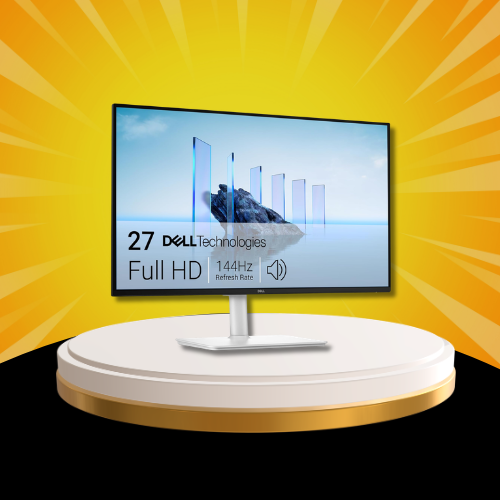
The Dell S2725HSM is the monitor that finally answers the question white desk enthusiasts have been asking for years — when does a white monitor exist that performs as well as it looks? This is a 27-inch white IPS monitor with 144Hz refresh rate, 1ms response time, full ergonomic adjustability, and built-in speakers in Dell’s Ash White finish that belongs on any minimal or Scandinavian-inspired desk setup.
What It Actually Does
144Hz on a 27-inch IPS panel covers gaming, productivity, and content consumption equally well — versatility that white monitors historically sacrificed for aesthetics. The 1ms response time ensures gaming performance matches the refresh rate capability without compromise. Full ergonomic adjustability — height, tilt, pivot, and swivel — puts this in a class above every other monitor at this price point for physical setup flexibility. Most monitors under $200 offer tilt only. The S2725HSM offers everything.
Built-in dual 3W speakers remove the need for an immediate audio accessory purchase on a fresh desk setup. AMD FreeSync ensures smooth gaming across the full 144Hz range regardless of AMD GPU load variation. The Ash White colorway is consistent across the stand, bezel, and rear housing — not a white front panel on a black stand, which plagues many competitors attempting the aesthetic.
What’s in the Box
- Dell S2725HSM monitor in Ash White
- Power cable
- HDMI cable
- Built-in speakers ✅
Specs at a Glance
- Panel: IPS
- Resolution: FHD 1920×1080
- Refresh rate: 144Hz
- Response time: 1ms
- Color: Ash White finish ✅
- Adjustability: Height / Tilt / Pivot / Swivel ✅
- Sync: AMD FreeSync ✅
- Speakers: 2x 3W built-in ✅
- Sustainability: 1 feature ✅
Who Should Buy This
White desk setup enthusiasts who refuse to compromise on display performance for aesthetics. Buyers building a minimal or light-colored workspace who need full ergonomic flexibility. Anyone who has been waiting for a white monitor that performs at the same level as its black counterparts.
Who Should Skip This
If 4K resolution in a white finish is the goal, the LG 27UP650K-W below delivers that combination at $90 more. If the white aesthetic is not a priority, the same budget buys better-reviewed options in the gaming and productivity sections.
LG 27UP650K-W — Best White 4K Monitor
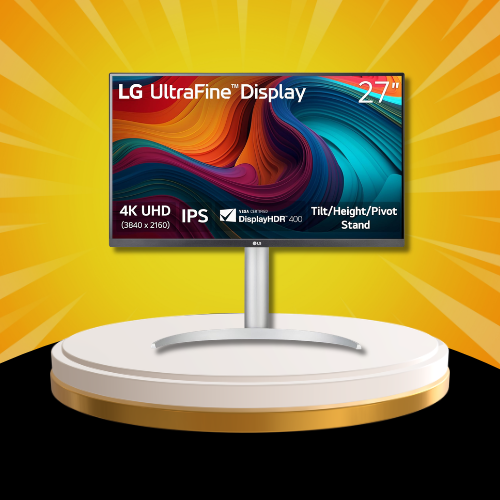
The LG 27UP650K-W is the white 4K monitor the category has needed — combining LG’s Ultrafine 4K IPS panel with a clean white finish that holds its own against any premium desk aesthetic. DisplayHDR 400 certification, Reader Mode, Flicker Safe eye care, and full height, tilt, and pivot adjustability make this a genuine workstation display in white clothing. USB-C and DisplayPort connectivity cover modern laptop and desktop connections simultaneously. At $239 it sits at the intersection of premium color accuracy, ergonomic flexibility, and aesthetic intentionality — the pick for buyers who want their 4K monitor to look as considered as the rest of their setup.
Can You Use a TV as a Computer Monitor?
Search interest for this question is up 300% in 2026 — and the answer is more nuanced than a simple yes or no. TVs and monitors are built around fundamentally different use cases, and understanding the difference determines whether your TV-as-monitor experiment becomes a permanent setup or a frustrating mistake.
Where TVs Fall Short as Monitors
The most important specification for close-distance screen use is input lag — the delay between a signal being sent and the image appearing on screen. Gaming TVs have improved dramatically, but most consumer televisions still carry 15 to 30ms input lag in standard modes compared to 1 to 5ms on dedicated monitors. At a desk distance of 2 to 3 feet, that lag is perceptible during fast tasks including gaming, video editing, and even rapid typing with cursor feedback.
Pixel density is the second issue. A 55-inch 4K TV at typical desk distance shows individual pixels clearly — the same 4K resolution that looks razor-sharp on a 27-inch monitor becomes noticeably soft when the panel is four times larger. The sweet spot for TV-as-monitor use is 32 inches — which is precisely where the LG 32UR500K-B at #16 on this list sits, bridging the gap between monitor precision and TV-scale viewing.
Where TVs Work Well as Monitors
Casual computing at distance — browsing, streaming, light productivity from a couch or standing desk — plays to a TV’s strengths. A 4K OLED TV used as a monitor for content consumption at 4 to 6 feet of viewing distance is genuinely excellent. Console gaming on a TV used as a monitor benefits from the larger screen without the input lag penalty that keyboard-and-mouse competitive gaming would expose.
Quick Comparison
| # | Dedicated Monitor | TV as Monitor |
|---|---|---|
| Input lag | 1 – 5ms | 15 – 30ms typical |
| Pixel density | High at desk distance | Low at desk distance |
| Refresh rate | Up to 240Hz | 60 – 120Hz typical |
| Best viewing distance | 2 – 3 feet | 4 – 6 feet |
| Best use case | Gaming, productivity | Casual, streaming |
For serious productivity and gaming, a dedicated monitor wins every time. For casual computing and content consumption at distance, a quality TV can absolutely serve as a monitor — especially at 32 inches. The LG 32UR500K-B at #16 on this list is the closest thing to a bridge between both worlds at a price that makes the decision simple.
The Best Portable and Dual Monitor Setups
Dual monitor productivity and portable monitor flexibility are two of the fastest-growing search trends in the monitor category for 2026. The picks on this list were not designed as portable monitors — but several of them are ideally suited for dual setups that transform any desk into a genuine workstation. Here is how to build the best dual monitor configuration using the monitors already covered in this guide.
Best Picks for Dual Monitor Setups
Three monitors on this list stand out specifically for dual pairing:
Samsung S40GD ($129.99) — The borderless IPS design makes it the cleanest dual-monitor pairing option on the list. Minimal bezels mean the gap between two side-by-side S40GD panels is nearly invisible, creating a seamless extended workspace. The 100Hz refresh rate and ergonomic stand handle the daily demands of a dual productivity setup without fatigue.
Dell SE2426H ($99.99) — Dual HDMI ports on a single monitor simplify cable management in a two-monitor setup sharing inputs from one machine. At $99 per unit, two SE2426H panels deliver a complete dual 144Hz FHD setup for under $200 total — one of the best value dual monitor investments on this list.Amazon Basics 27-inch ($105.99) — VESA compatibility straight out of the box makes the Amazon Basics 27-inch the easiest monitor to mount on a dual arm without additional adapter purchases. Two units on a single VESA arm for under $220 total is difficult to argue against for home office builds on a strict budget.
What to Consider Before Building a Dual Setup
Desk depth matters more than most buyers anticipate — dual 27-inch monitors require at least 30 inches of desk depth for comfortable viewing distance. Matching refresh rates between paired monitors prevents visual inconsistency when moving windows across screens. A dual monitor arm eliminates two individual stands from the desk surface, recovering significant workspace real estate immediately.
: Essential Monitor Accessories — Stands, Privacy Screens & Cleaning
The monitor itself is only part of the setup. The accessories surrounding it determine how comfortable, functional, and long-lasting that setup actually becomes. Three accessory categories consistently appear in monitor-related searches in 2026 — and each one is worth understanding before finalizing any monitor purchase.
Monitor Stands — Ergonomics Are Not Optional
The human eye sits most comfortably at a level equal to the top third of the screen. Most monitor stands ship adjusted too low for this, creating the neck-forward posture that causes the shoulder and neck pain millions of desk workers experience daily.
Several monitors on this list solve this natively — the Dell S2725HSM offers full height, tilt, pivot, and swivel adjustment at $149.99, making it one of the best-value ergonomic monitor packages available. The LG 27UP650K-W similarly includes height and pivot adjustment in its stand.
For monitors that ship with tilt-only stands — the Acer KB272, Samsung S36GD, and Amazon Basics models — an aftermarket VESA monitor arm provides the ergonomic flexibility their included stands lack. Every VESA-compatible monitor on this list accepts standard 75x75mm or 100x100mm VESA mounts.
Privacy Screens — Who Actually Needs One
Monitor privacy screens are physical filters that narrow the viewing angle of your display — making the screen appear dark or blank to anyone not sitting directly in front of it. Search interest for privacy screens is up 50% in 2026, driven by the permanent shift toward hybrid and coffee shop working environments where sensitive information is regularly visible to surrounding strangers.
Size matching is critical — a privacy screen purchased for a 27-inch monitor will not fit a 24-inch panel. Measure your actual screen diagonal before purchasing, not the monitor’s marketed size, as bezels vary between models.
Cleaning — The Most Searched Monitor Care Topic of 2026
Searches for how to clean a computer monitor are up 60% in 2026 — and the most common mistake people make is using the wrong materials. LCD and OLED panels have anti-reflective coatings that standard glass cleaners, paper towels, and household cloths permanently damage.
The correct approach: a dry or lightly dampened microfiber cloth wiped in gentle circular motions. No ammonia-based cleaners. No paper products. No spraying liquid directly onto the screen. For stubborn marks, distilled water on a microfiber cloth is the safest effective solution. Several monitor manufacturers — including LG and Dell — void screen warranties when damage from improper cleaning materials is identified.
What to Look for Before Buying a Computer Monitor in 2026
The monitor market rewards informed buyers and punishes impulsive ones. Here is every specification that matters — explained in plain language without the marketing layer.
1. Panel Type — IPS vs VA vs OLED
IPS panels deliver the best color accuracy and widest viewing angles — the standard choice for productivity, creative work, and general gaming. VA panels offer higher contrast ratios and deeper blacks at the cost of slightly slower response times — better for dark room viewing and cinematic content. OLED panels deliver self-lit pixels with infinite contrast and zero backlight bleed — the premium choice for buyers who demand the absolute best and understand the burn-in trade-off.
2. Resolution — FHD vs QHD vs 4K
FHD at 1920×1080 is sufficient for 24-inch displays and budget gaming. QHD at 2560×1440 is the sweet spot for 27-inch monitors — sharp enough to see the difference, achievable enough for mid-range GPUs. 4K at 3840×2160 rewards 32-inch displays and creative workflows where pixel-level accuracy matters.
3. Refresh Rate — What You Actually Need
- 75Hz — office work, casual browsing, productivity
- 100Hz — light gaming, general use upgrade from 60Hz
- 144Hz — the minimum for serious gaming
- 180–200Hz — competitive gaming advantage
- 240Hz — professional and enthusiast gaming only
4. Response Time — When It Actually Matters
- HDMI — universal, covers most use cases
- DisplayPort — required for high refresh rate gaming above 144Hz on many GPUs
- USB-C — essential for modern laptop single-cable setups
6. Eye Care Features
Flicker-free certification eliminates the imperceptible flicker that causes eye fatigue over long sessions. Blue light filters reduce the specific wavelength most associated with sleep disruption and eye strain. Reader Mode optimizes color temperature for text-heavy work. These features matter more as daily screen time increases — and for most people it is increasing every year.
Budget Tier Guide
| # | Best Pick | Why |
|---|---|---|
| Under $100 | MSI PRO MP243L or Acer KB272 | 144Hz gaming or 27″ IPS value |
| $100 – $150 | Samsung S36GD or Dell S2725HSM | Curved entry or white ergonomic |
| $150 – $250 | ASUS TUF VG27AQ3A or LG 32UR500K | QHD gaming or 32″ 4K |
| $250 – $400 | Dell S3425DW | Ultrawide 34″ productivity |
| $400+ | Alienware AW3425DW | QD-OLED premium gaming |
FAQ — Most Asked Computer Monitor Questions in 2026
What is the best computer monitor in 2026?
For most buyers the ASUS TUF Gaming VG27AQ3A at $189 delivers the best overall combination of resolution, refresh rate, panel quality, and price. QHD at 180Hz on a Fast IPS panel with G-SYNC compatibility covers gaming, productivity, and creative work in a single display. For budget buyers the MSI PRO MP243L at $79.99 is the most impressive value on this entire list at 4.8 stars.
Is a 27-inch or 32-inch monitor better?
For desk distances of 2 to 3 feet — the typical home office setup — a 27-inch monitor at QHD resolution hits the pixel density sweet spot. The 32-inch format rewards buyers who sit further back, multitask heavily, or prioritize content consumption alongside productivity. The LG 32UR500K-B at $249.99 is the 32-inch pick that justifies the size with 4K resolution.
Can I use a TV as a computer monitor?
For casual computing and content consumption at 4 to 6 feet of viewing distance — yes. For close-distance gaming and productivity work — the higher input lag and lower pixel density of most TVs creates a measurably worse experience. The 32-inch sweet spot covered in the dedicated section above is where TV and monitor use cases most naturally overlap.
What refresh rate do I need for gaming?
144Hz is the minimum worth targeting for any gaming-focused purchase in 2026. 75Hz and 100Hz panels are capable gaming displays but the motion smoothness difference between 75Hz and 144Hz is immediately perceptible. For competitive titles where every frame matters, 180Hz to 200Hz is the current practical ceiling before diminishing returns set in.
Is 4K worth it for a computer monitor?
At 32 inches and above — yes, unambiguously. At 27 inches, QHD delivers better gaming performance per dollar than 4K for most GPU tiers. 4K on a 27-inch panel requires significantly more GPU power to run games at native resolution, making QHD the smarter gaming investment until GPU prices normalize further.
Is OLED better than IPS for monitors?
For contrast, black levels, and color accuracy — OLED is objectively superior to IPS in every measurable way. For buyers who display static content for extended periods, the burn-in risk of OLED makes IPS the safer long-term investment. The Alienware AW3425DW’s QD-OLED panel mitigates burn-in risk compared to standard OLED but does not eliminate it entirely.
What monitors work best for dual setups?
The Samsung S40GD’s borderless design, the Dell SE2426H’s dual HDMI ports, and the Amazon Basics 27-inch’s out-of-box VESA compatibility make them the three strongest dual-setup candidates on this list. Full dual-setup guidance is covered in the dedicated section above.
Our Final Verdict — The Best Computer Monitor in 2026
Choosing the best computer monitor in 2026 comes down to one honest question — what do you actually do at your desk for most of the day?
After analyzing thousands of Amazon reviews, mapping every specification to real-world use cases, and covering 18 monitors across every price tier and category — here is where we landed.
🏆 Best Overall — ASUS TUF Gaming VG27AQ3A ($189.00) QHD, 180Hz, 1ms, G-SYNC Compatible, Fast IPS. The monitor that covers gaming, productivity, and creative work without compromise at a price that makes every competitor justify their existence.
💸 Best Budget — MSI PRO MP243L ($79.99) 4.8 stars. 144Hz. 1ms. IPS. Under $80. The most impressive value on this entire list — and the highest-rated monitor regardless of price.
🎮 Best Gaming — Alienware AW3425DW ($649.99) QD-OLED, 240Hz, 0.03ms, 34-inch curved. The display that makes every other gaming monitor a compromise.
📐 Best Ultrawide — Dell S3425DW ($379.99) 34-inch WQHD, 21:9, USB-C, 99% sRGB. The dual monitor killer for home office power users.
🖥️ Best 4K — LG 32UR500K-B ($249.99) 32-inch, 4K UHD, HDR10, borderless. The monitor where resolution and screen size finally make sense together.
🤍 Best White Monitor — Dell S2725HSM ($149.99) 144Hz, full ergonomic adjustability, Ash White finish. The white monitor that performs exactly as well as it looks.
💰 Best Under $100 — Acer KB272 ($99.99) 27-inch, 120Hz, 99% sRGB, IPS. The monitor that should not exist at this price — but does.
Whatever you choose from this list, your display is the window through which everything on your computer is experienced. It deserves as much consideration as any other component in your setup. Drop your pick in the comments below — or tell us what you upgraded from. 🖥️